
Open a service job. Older readings shown with an age are reference values.
Enter today’s readings
Use readings from today. Gray readings are from past visits.
Open Readings
In the service job, tap Measure → Readings.
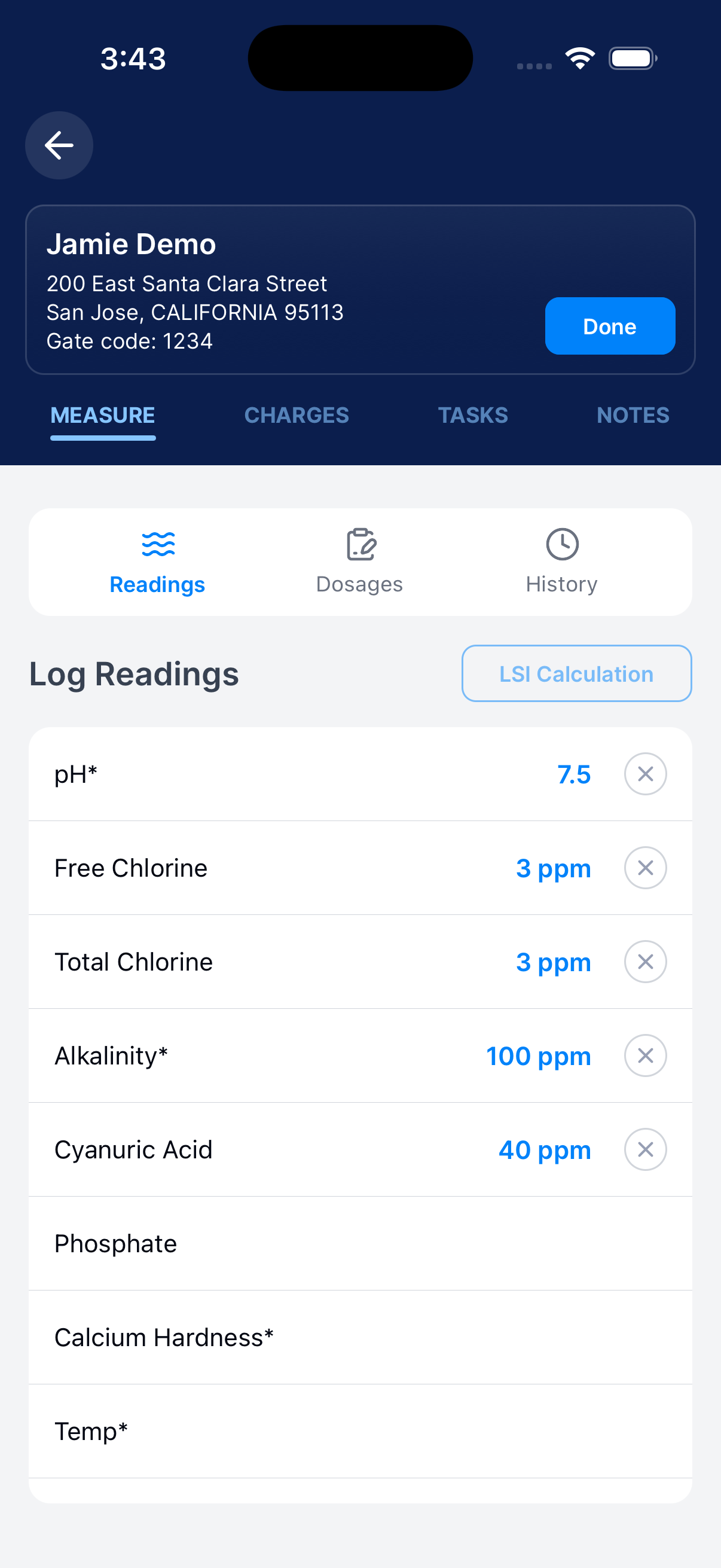
Enter today’s values
Tap each reading you measured. Choose or enter its value.
Check the unit.
Review the entries
Scroll to see more measurements. Use History to compare past visits.
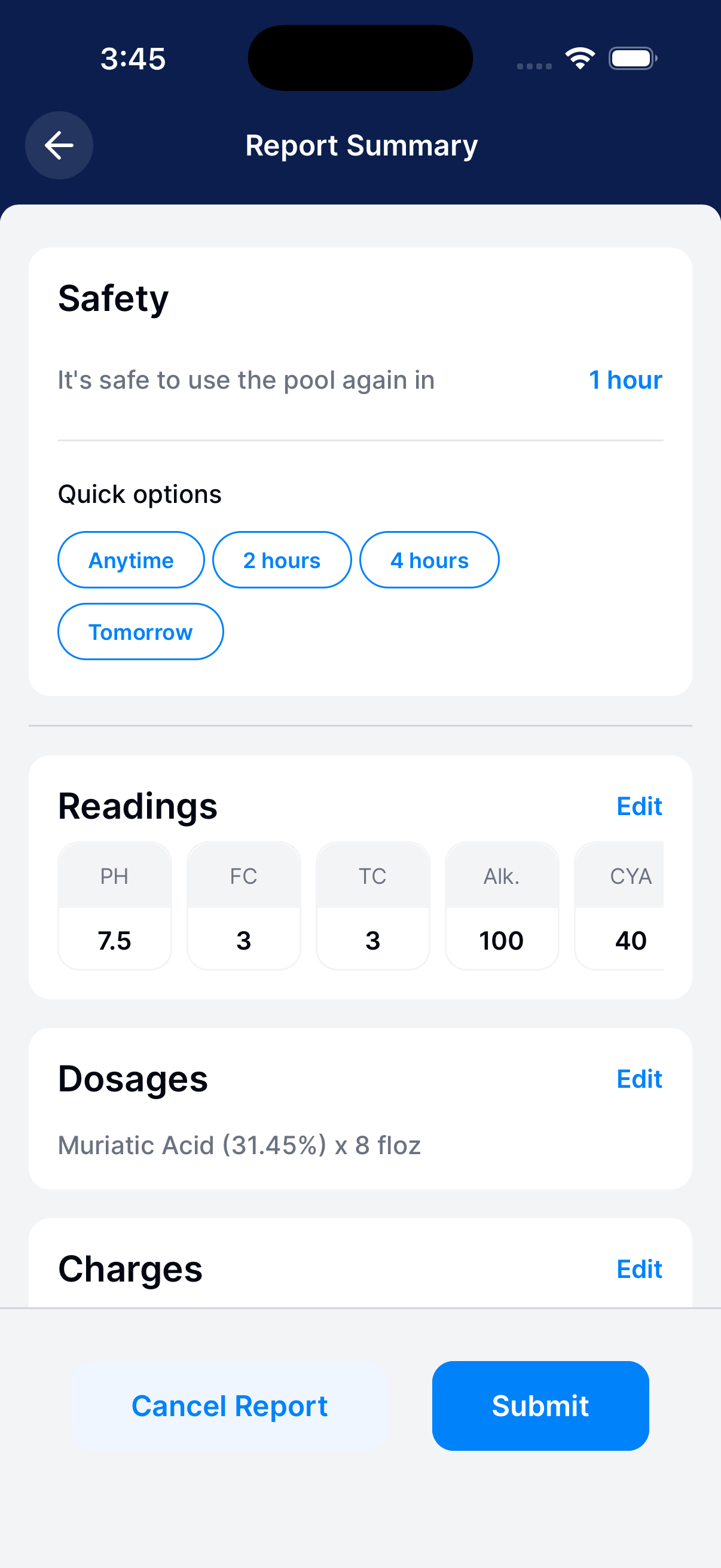
Check the summary
Tap Done and check Readings. Use Edit to fix an entry.
Record products and amounts
Choose the products you used today and enter each amount.
Open Dosages
In the service job, tap Measure → Dosages.
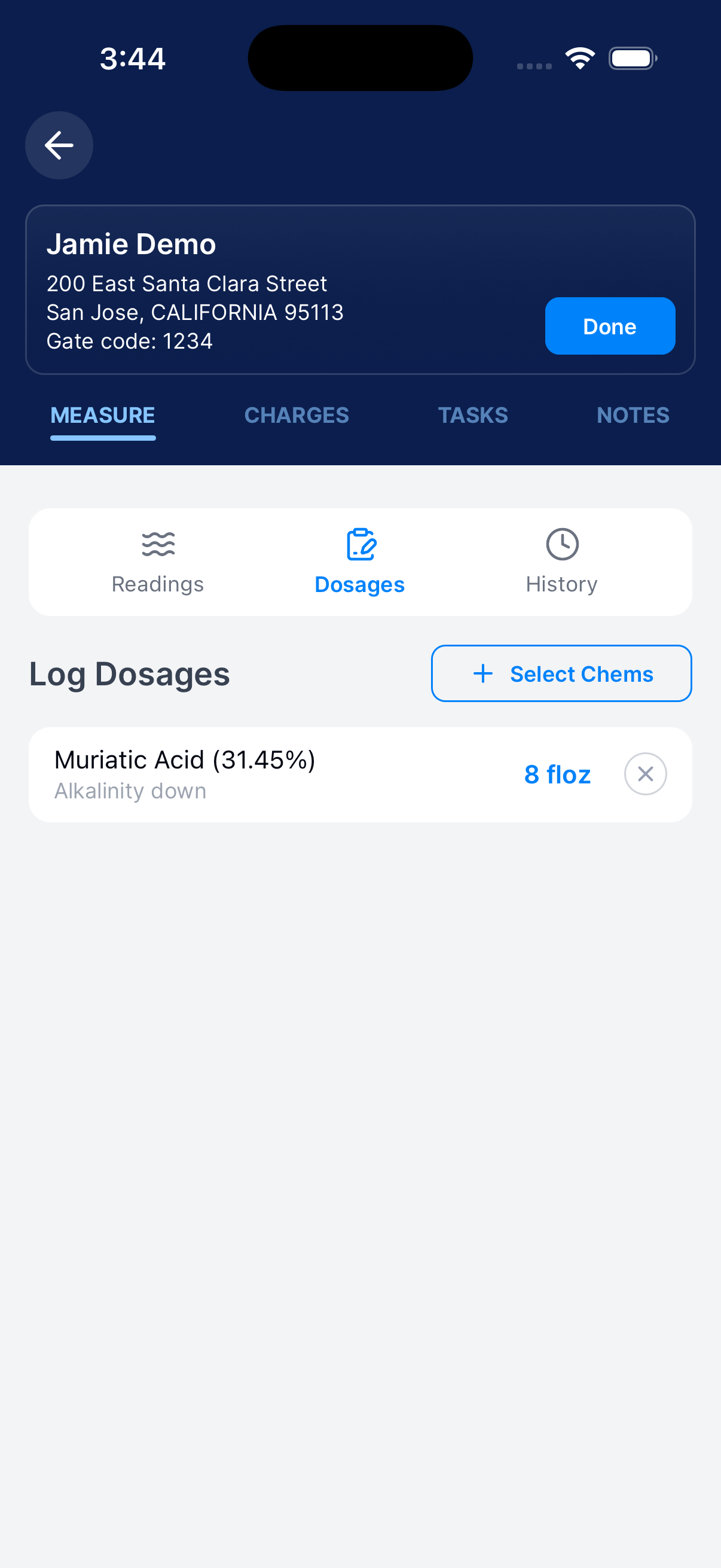
Choose the products
Tap Select Chems to change the products listed for this report.
Enter the amounts
Tap a product and enter its dosage. Check the name and unit.
Review the report
Tap Done and check Dosages. Use Edit to fix an entry.
Check LSI inputs
LSI needs today’s pH, alkalinity, calcium hardness, temperature, and TDS.
Open LSI Calculation
Go to Measure → Readings. Enter today’s pH, alkalinity, calcium hardness, temperature, and TDS.
Tap LSI Calculation. Gray readings from past visits don’t enable it.
Review current values
Check the measurements used in the calculation. Use Edit Current to fix an input.
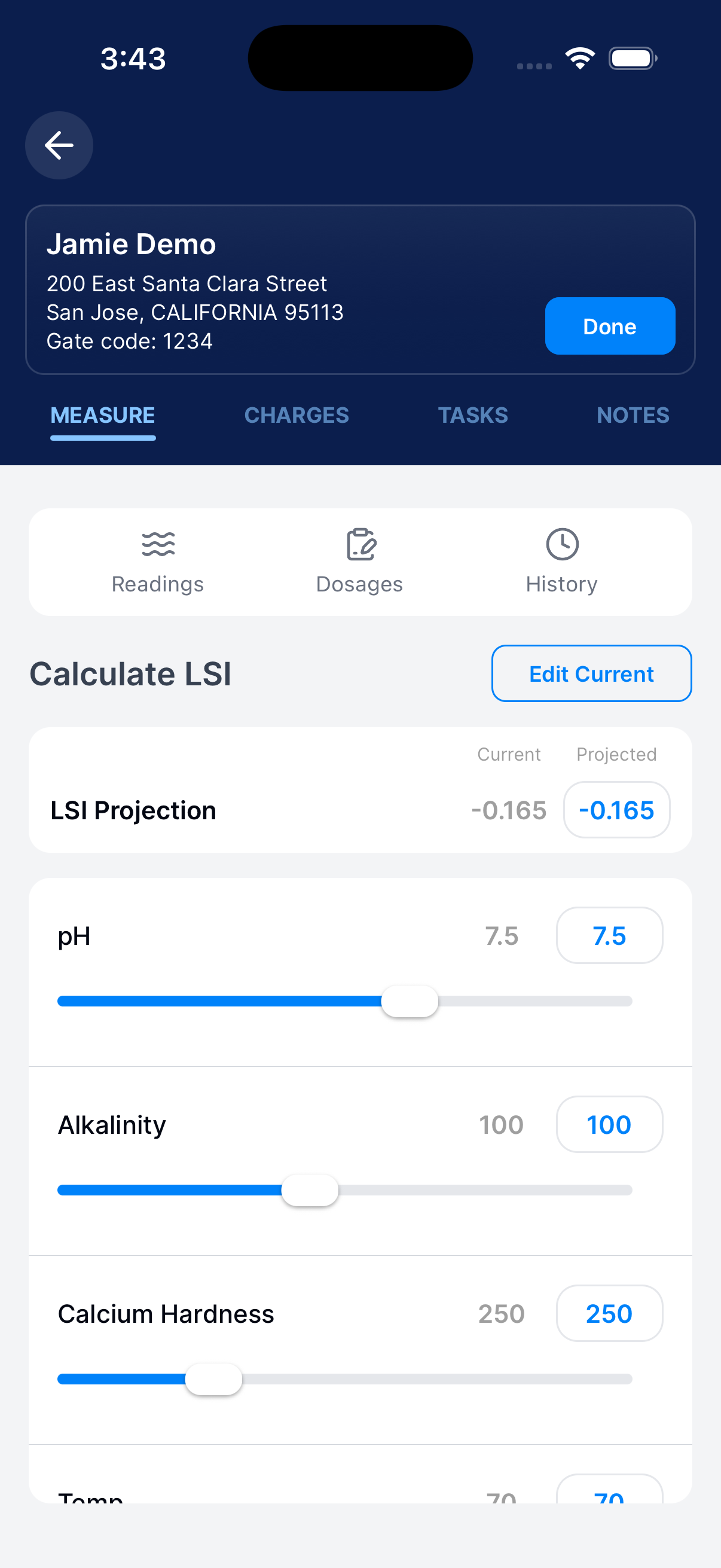
Review the projection
Compare Current and Projected. Move a slider to see how a value changes the LSI Projection.
Use Edit Current to return to today’s readings. Return to Readings to continue.
Operators: track truck chemicals
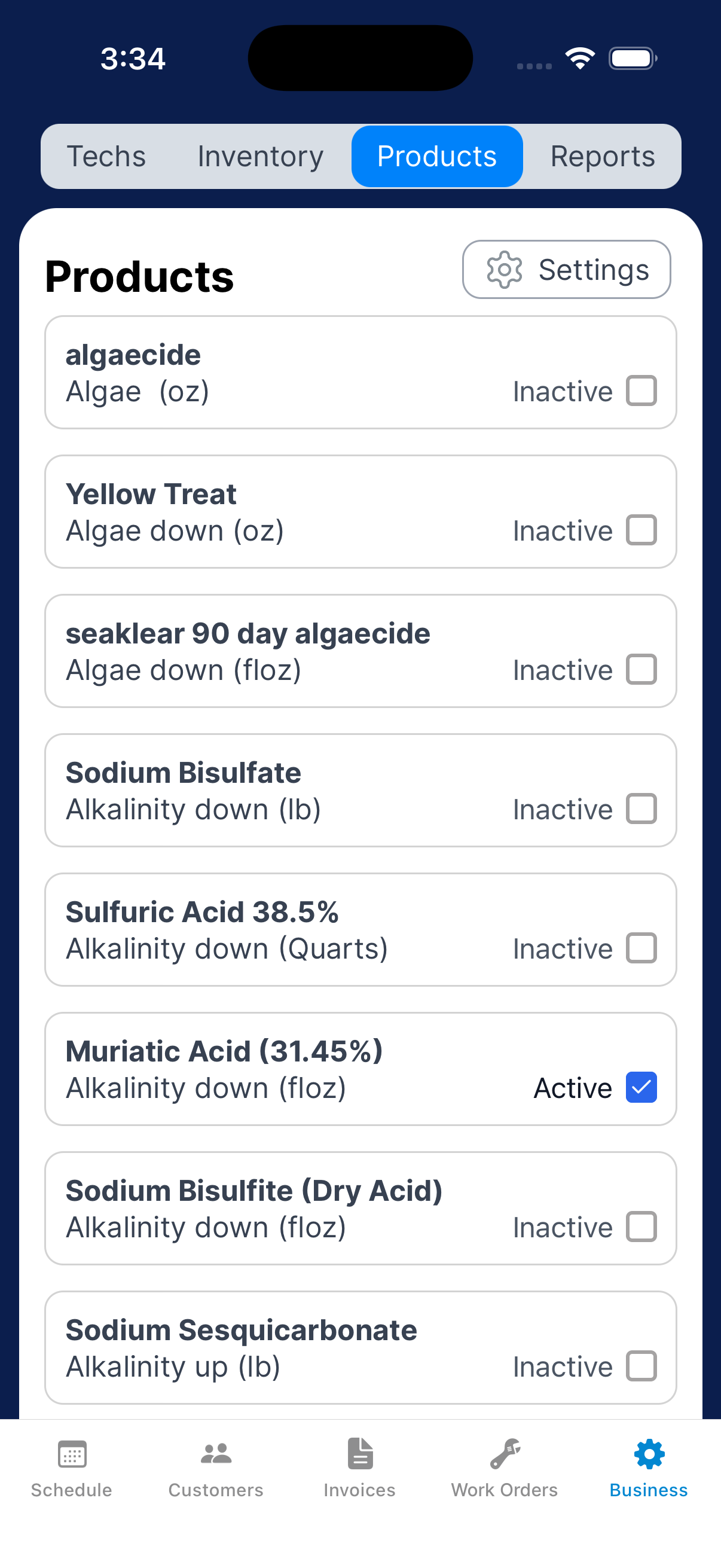
Use this list to track the chemicals your team carries on its trucks.
Update the truck product list
Go to Business → Products. Check the chemicals your business carries on its trucks.
Uncheck chemicals you no longer carry. The list saves as you tap.
In a report, use Select Chems to choose the products available for that visit.
Need a hand?
Why is LSI Calculation disabled?
Enter current pH, alkalinity, calcium hardness, temperature and TDS readings. Gray historical values alone do not enable the button.
What is the Products list for?
It tracks the chemicals your business carries on its trucks. Check the chemicals you carry under Business → Products. Invoice items are managed separately under Business → Inventory.